Describe your app
How to write the first message, use a starter or a template, and attach files so REM Vibe Coder builds the app you mean.
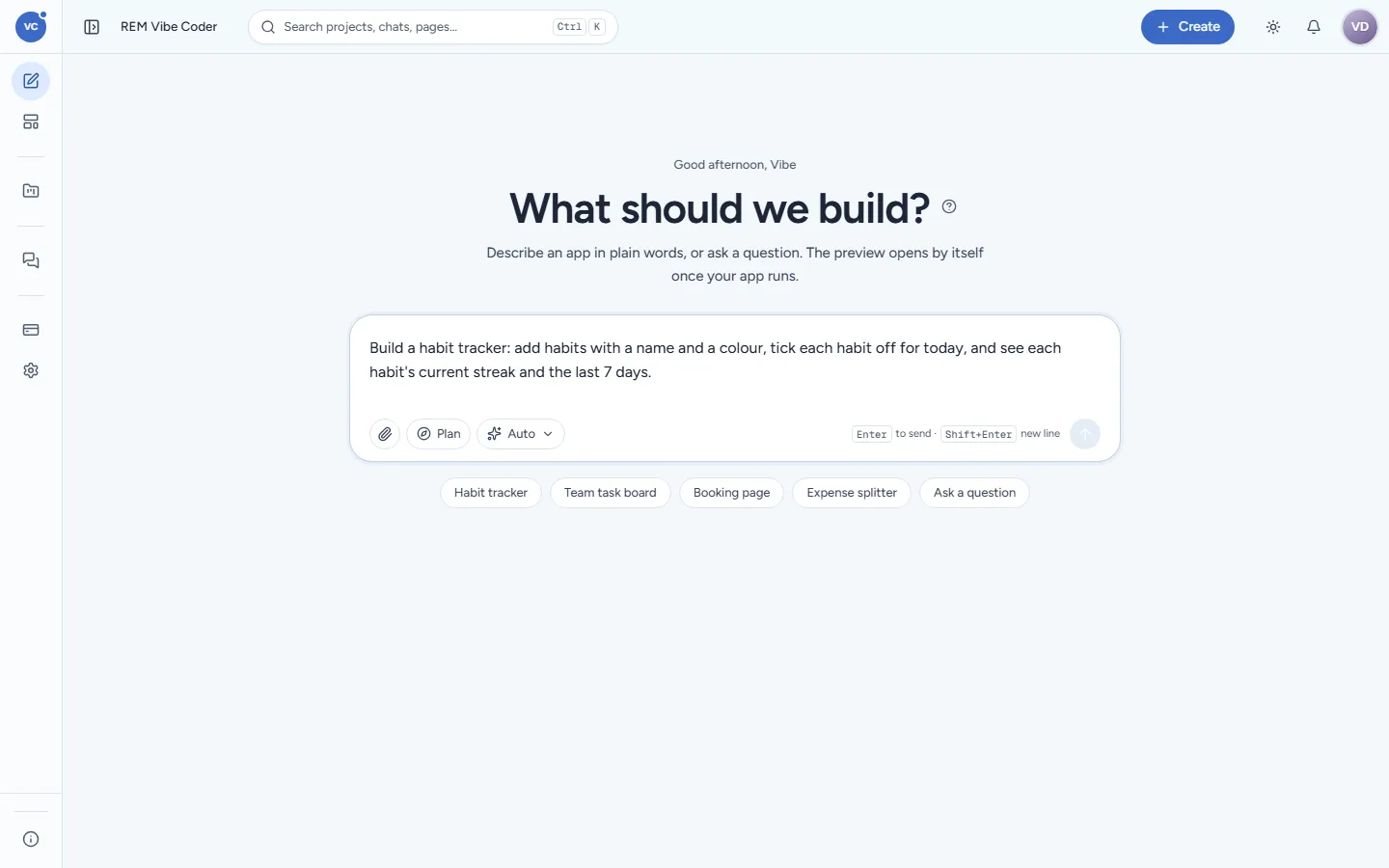
Everything starts on Home (sidebar New chat). Type in the box that says Describe an app, or ask a question… and press Enter (Shift+Enter adds a new line). A message can be up to 20,000 characters.
Write a good first message
Say who uses the app and what they do in it, screen by screen if you know. You do not need technical words: Vibe Coder picks the technology itself (you never choose a stack).
Instead of | Write |
|---|---|
"A habit app" | "A habit tracker: add habits with a name and a colour, tick each habit off for today, and see each habit's current streak and the last 7 days." |
"CRM" | "A small CRM for my 3-person sales team: companies, contacts under each company, deals with a stage and an amount, and a board of deals by stage." |
"Booking" | "A booking page for my yoga studio: classes with a time and 12 places, people book with name and phone, and I see who booked each class." |
Good to mention when it matters:
the data to keep (fields, lists, who owns what);
rules ("a class cannot take more than 12 people");
look and words ("calm, white, our brand blue #3938b0", "labels in Hindi");
whether you need sign-in in the app, a dashboard, an export.
Too much detail at once is fine: Vibe Coder turns it into a plan of at most eight features, and you can add the rest later as follow-ups.
Start from a starter
Below the box, click Habit tracker, Team task board, Booking page or Expense splitter to fill the box with a ready description. Edit it before you press Enter. Ask a question starts a chat that only talks.
Start from a template
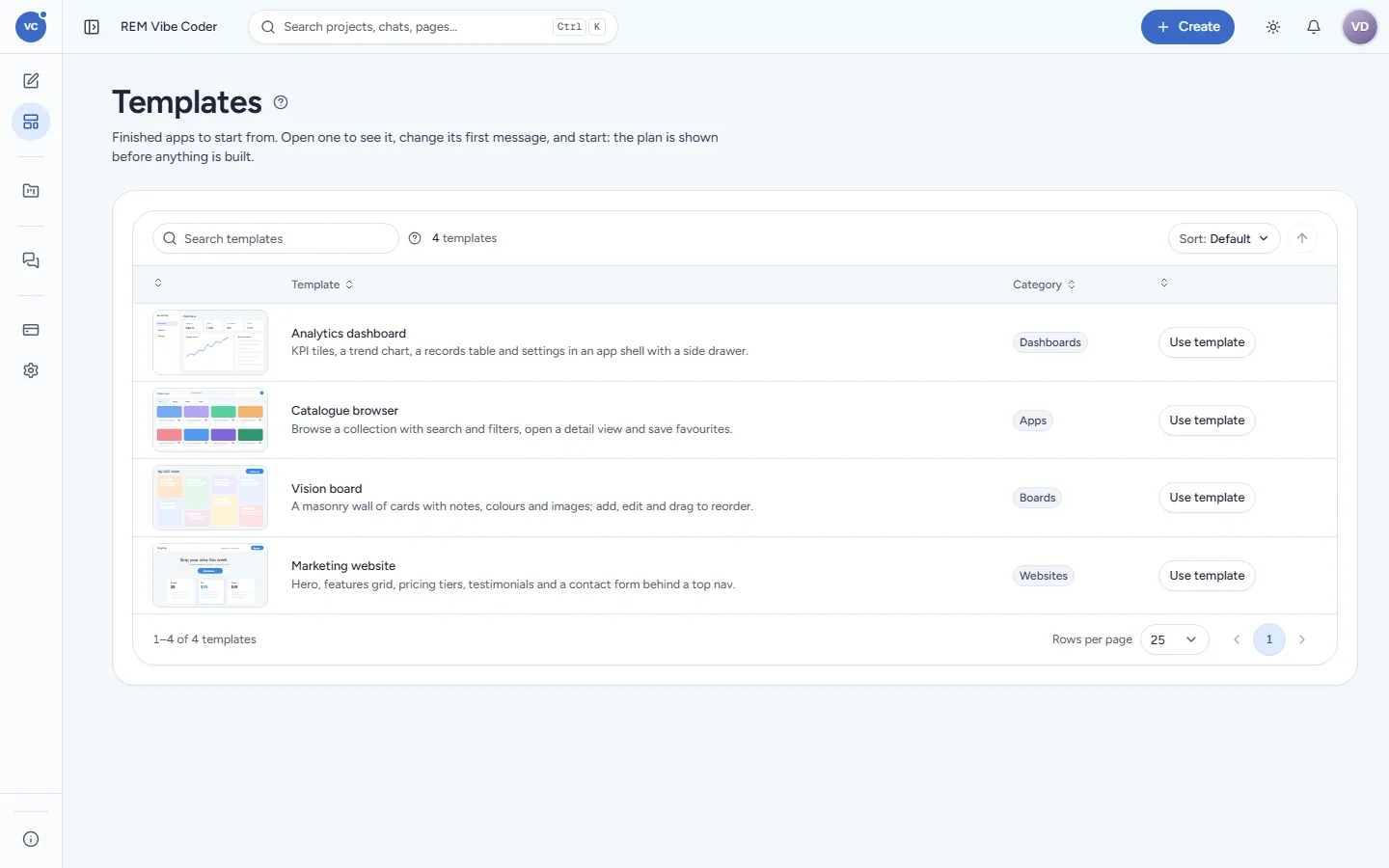
Templates (sidebar, or Create > From a template) lists finished apps: Analytics dashboard (KPI tiles, a trend chart, a records table and settings), Catalogue browser (search, filters, detail view, favourites), Vision board (a wall of cards you can drag to reorder) and Marketing website (hero, features, pricing tiers, testimonials, contact form). Click Use template: its first message opens in the composer, ready to change ("…for a bakery, in warm colours") before you start.
Attach files
Click the paperclip in the composer to attach files: spreadsheets (XLSX, XLS, ODS, CSV, TSV, Parquet), PDF, Word (DOCX), PowerPoint (PPTX), text, Markdown, HTML, JSON, YAML, notebooks, images (PNG, JPG, GIF, WebP, TIFF) and ZIP. Up to 50 files per chat; the size limit per file is shown when you attach (at most 512 MB). Vibe Coder reads the whole file, every sheet, row and page, and can build the app around it ("make a dashboard from this sales sheet") or load it as the app's data. Files are stored in your own REM CloudHub Files, in a folder for that chat. See Files and documents.
Questions that do not build
Not every message builds something. "How do I add a field?", "Where is my habit app?" or "Write a one-page user manual for it" are answered in the chat without starting a sandbox. Vibe Coder decides this from your message; such chats appear under Chats > Only talk.
Next
Questions and the plan: what Vibe Coder shows you before it builds.