The workspace
A tour of the REM Vibe Coder screens - the sidebar, Home, the chat workspace, Projects, Chats, Templates, Plan & credits and Settings.
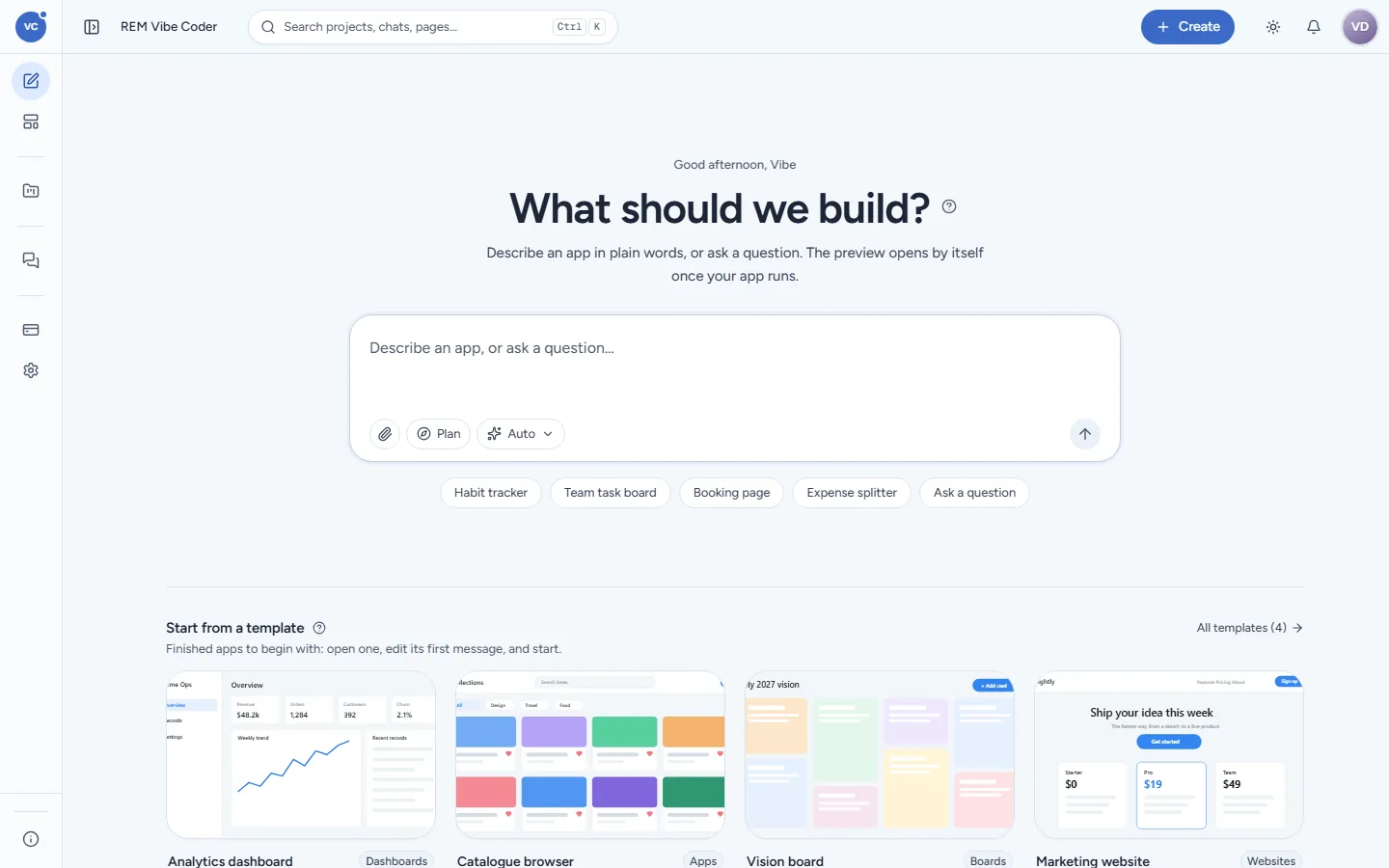
REM Vibe Coder uses the same layout as REM CloudHub: a sidebar on the left, a top bar, and the page in the middle.
The sidebar
Item | What it opens |
|---|---|
New chat | Home: the composer, prompt starters, your recent work and templates |
Templates | The four finished apps you can start from |
Projects | Your last five projects with their state (Live, Building, Failed, Needs you), then All projects |
Chats | Your last eight chats by activity, then All chats |
You > Plan & credits | Your plan, credits, invoices and credit history |
You > Settings | Workspace look, your account, memory, MCP servers and skills |
Platform > Admin | The admin board (super admins only) |
Each project or chat has a … menu to rename, pin or delete it; pinned items stay on top. Ctrl+B (Cmd+B on a Mac) folds the sidebar to icons; on a phone it opens as a drawer from the menu button.
The top bar
Search (Ctrl+K / Cmd+K): find a project, a chat or a page by name.
Create: New app (describe it) or From a template.
The bell, and your account menu (your initials) with Send feedback and Sign out.
Home
Home greets you by name and asks What should we build? Type in the box (Describe an app, or ask a question…) and press Enter. Under the box:
the Plan chip (wait for your approval before building, see Questions and the plan) and the model picker (Auto lets Vibe Coder choose);
starters: Habit tracker, Team task board, Booking page, Expense splitter, Ask a question;
Start from a template with the four templates, and your recent projects and chats.
The chat workspace
Every message you send opens or continues a chat at remvibecoder.com/c/<chat id>. It has:
a header with the title, the app's links (Open app, the app's page in REM CloudHub, the ticket) and its state;
the transcript: the plan card, short progress lines, one card per check, questions that need you, and the result;
the composer at the bottom (Reply or refine…) with a strip that shows the build stage: Build, Tests, Deployed;
a side pane that opens at the showcase step, with Preview and Design (and Code when Advanced view is on).
Projects and Chats
Projects lists every app and every solution you made, with its status, number of chats, when it changed and where it runs; open a row to carry on in its latest chat. Tabs split Apps and Solutions. Chats lists every conversation; tabs split In projects and Only talk (questions that never built anything). A chat moves into a project by itself as soon as it starts a build.
Settings
Section | What you set |
|---|---|
General | Advanced view (adds the Code pane, tool rows in the transcript, the token count and the run inspector), the theme (Light, Dark, System), and your account |
Memory | One short document (up to 8,000 characters) every build reads about you: your preferences, your company's words |
MCP servers | Your own tool servers, added in REM CloudHub, that builds may use |
Skills | Your own instructions every build can read, written in REM CloudHub |
See Settings and memory.